Recommended AppleScript Books for Beginners
I’ve got several AppleScripts on this site and I get lots of questions about things relating to AppleScript. One of the questions I hear is “Are there any good books about AppleScript, especially for beginners”. Well, the answer is yes and no. I’ll give a few recommendations here that I think will help most beginning AppleScripters and possibly some more advanced ones. There are lots of sites out there as well such a Macscripter.net that also have a wealth of information. I encourage anyone looking into AppleScript to use these sites as well as printed materials.
Having said that I know that I personally benefit from having books around. In some cases it just an easy way to quickly look something up. Most books have examples on how to use either a scripting addition or a vanilla AppleScript command. Having those examples makes it a lot easier for me to figure things out.
Apple Training Series: AppleScript 1-2-3
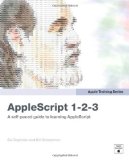

This book has replaced Danny Goodman’s fantastic but dated AppleScript Handbook (see below) as my recommended book for first time AppleScripters. The first author, Sal Soghoian, has been the AppleScript/Automater Product Manager at Apple for many years. I’ve been to lots of his talks and demos and he always has great examples of things you can do with AppleScript. His examples are fun and useful at the same time. The other author, Bill Cheesman, has been involved in AppleScripting from almost the very beginning and is extremely active in the AppleScript community.
This book assumes you have no knowledge of AppleScript or programming. It starts you out in the first chapter on the basics of writing scripts using AppleScript Editor with some cool one line scripts. From there he takes you through using dictionaries, working with the Finder and the file system.
After you get comfortable with working there you move on to actually learning some programming techniques such as looping and properties. However, Sal and Bill do it in such a conversational way you don’t even realized you’re learning actual programming.
This book contains a ton of useful scripts that can either be used right out of the page or, after doing the examples, can be easily configured for your own needs.
At the end of the book they cover a little bit concerning AppleScript Studio for those who want to move to the next level and create actual applications using only AppleScript as well as an introduction to Automator.
All in all this is an incredible book for beginning AppleScripters. The AppleScript community has been waiting a long time for Sal (and Bill) to write a book and it was obviously worth the wait.
Danny Goodman’s Applescript Handbook

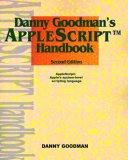
Until Sal’s book came out this was my go-to book. Danny Goodman has been around about as long as the Mac and his knowledge as well as his writing style are unsurpassed. He lays out the basics of AppleScript first and gives tons of examples each time. He steps you through each of the examples and explains what each line is about and why it does what it does. I learn languages best by doing lots of examples and see what things do. This book excels at that. The big issue with the scripts in the book is that they have become dated and you may find that some don’t work anymore as AppleScript is always evolving.
Many of the examples are short so you don’t get bogged down in code while trying to understand everything. It’s also a fantastic reference book. Whether you’re trying to find out what a list is or how to create a new folder all you have to do is look here. If you can find a used or on-sale copy I still highly recommend it as a reference book and intro to scripting.
AppleScript: The Missing Manual
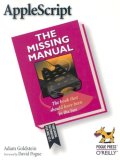

Another in the “Missing Manual” series this is another great book for beginners. It’s full of great and useful scripting examples that you can use right out of the box. I started writing AppleScripts to do little things that I got tired of doing over and over. You’ll find lots of examples in this book of just that. And along the way you’ll find yourself thinking about how you can adjust those scripts to suit your needs. And THAT is the best way, in my opinion, to learn AppleScript.
The first three chapters of the book are all about getting your feet wet. It starts with showing you where things like Script Editor lives and the wide variety of scripts that already come with your Mac. You’ll open several of those existing scripts and edit them to change what they do. A great way to introduce scripting in my opinion. Change something, see what it does and go from there. The last chapter in that section shows you how to start creating scripts from scratch in Script Editor. You’ll cover things like creating dialog boxes and opening the AppleScript dictionaries of various applications to see what you can do with them.
The second section gets into more of the everyday aspects of AppleScript and what you can do with it. It covers topics such as manipulating text in Text Edit and Microsoft Word and how to move, select and delete files. People who work with graphics on a regular basis will like the sections on controlling Photoshop and iPhoto with AppleScript. I particularly liked the fact that he covers using the built-in Image Events to manipulate graphics. Image Events comes with your OS and lets you do very cool things with graphics without ever opening a program, such as determine color space, rotate the image or even convert it from one format to another.
This section also covers scripting iTunes and Quicktime but only briefly. With AppleScript you can access the features of Quicktime Pro without paying for the Pro license. It would have been nice to see more of that but the Quicktime section gets you started.
The Internet and Networking section has some useful scripts for Internet Connect and Airport but I think most people will find the Mail and iChat scripting section the most useful. The final chapter in this section covers database scripting, in particular making a small AppleScript database and scripting Filemaker Pro.
The third section of the book is labeled as the “Power Users” section but there are lots of things in there that the beginning scripter will find incredibly useful. Things like assigning scripts to folder actions so they run automatically will be immediately useful to many. And the section on running UNIX commands using AppleScript will open up a whole new world to many. There is a very brief chapter on using AppleScript Studio to create applications. It’s enough to get your started if you’re interested but otherwise you would be better off getting an actual AppleScript Studio book.
The most useful part of this section for any scripter has to be the Debugging section. Nothing is more frustrating when writing scripts, especially for new scripters, then getting error messages and having no idea what they mean. Script Editor does a great job of pointing out where the problem is but not in telling you how to fix it. This section covers in detail what many of those error messages mean and how to fix them. It also covers how to trap for errors that may occur and what to do in your script when they do.

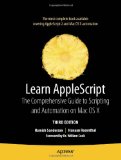
This book is one of the more recent and takes things to the next level from the “Missing Manual” series. This book takes you into the meat of AppleScript and shows you how to do really great things like scripting all those command line tools you know are there but don’t want to open Terminal to use. You’ll even learn how to write scripts that can be executed on a remote Mac. This can be really handy when you need to re-start the Filemaker Pro database from across a campus or business. After you’ve gotten an understanding of the basics of AppleScript from the first two books this one will take you to the next level and get you writing more involved and exciting scripts.
These books are just a small sample of the things that are out there but I think these books will give anyone who is starting in AppleScript or wants a more complete understand the foundation they need. As I said, I like books that give lots of real world examples and all of these do exactly that and more.
webmaster :: May.16.2008 :: Applescript :: No Comments »